





QR Code

Contact Us

Phone

E-mail

Address
Shanxia Village, Shanxia Town, Hui'An County, Fujian Province, China



If you sell stone samples, tiles, slabs, quartz, granite, marble, sintered stone, or engineered surfaces, you already know the quiet “tax” of a messy display: cracked corners, hard-to-compare colors, awkward lifting, wasted floor space, and customers who leave without confidence. A well-designed Stone Display Rack solves these problems at once—by improving visibility, reducing handling damage, keeping heavy pieces secure, and guiding shoppers toward faster decisions.
This guide breaks down what to look for (and what to avoid) when choosing a Stone Display Rack, with practical layouts, safety tips, selection checklists, and a simple way to match rack types to your product mix—so your showroom looks sharper and your team works safer.
Stone is premium—but it’s also heavy, brittle at edges, and visually complex. Most display problems don’t look dramatic at first; they show up as small friction points that quietly reduce conversion.
A properly planned Stone Display Rack doesn’t just “hold” stone—it reduces friction across safety, presentation, and decision speed.

Before looking at styles, anchor on outcomes. A strong Stone Display Rack typically delivers these six wins:
If a rack looks stylish but fails on stability or protection, it becomes an expensive liability. Prioritize function first, then choose the finish that fits your showroom.
Different stone products behave differently in a showroom. Use the table below to match rack types to your inventory and sales process.
| Rack Type | Best For | Customer Experience | Key Considerations |
|---|---|---|---|
| A-Frame Rack | Slabs, larger panels, heavy display pieces | High impact visual, easy side-by-side viewing | Needs strong base + anti-slip supports; allow aisle space for safe browsing |
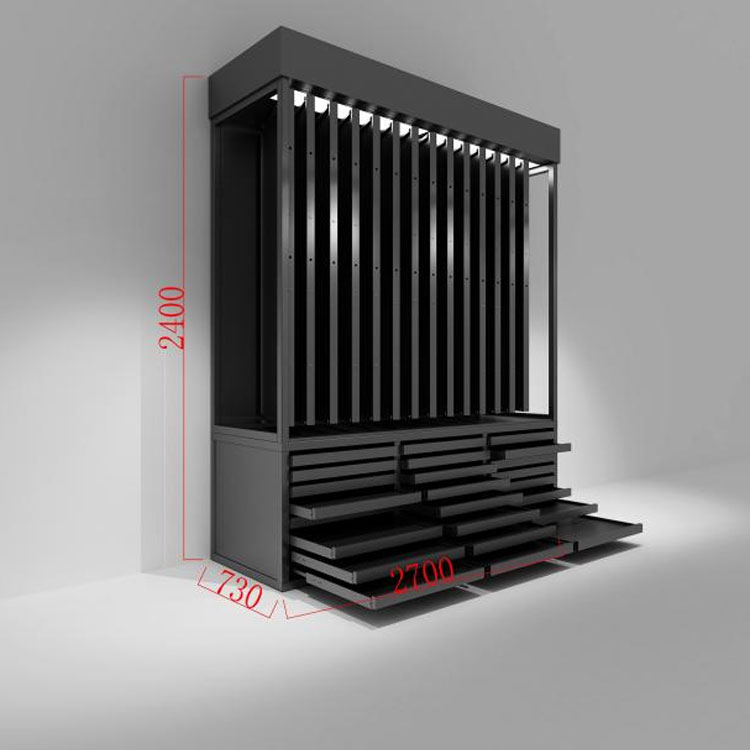
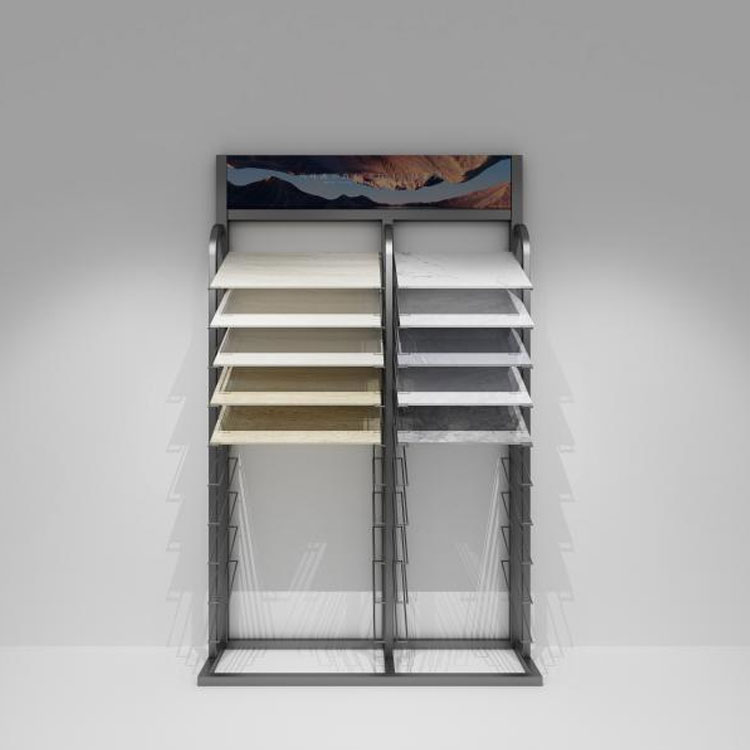
| Vertical Slot Rack | Sample boards, medium panels, multiple SKUs | Organized, easy to browse by category | Slot width and padding matter; too tight causes edge chipping |
| Sliding/Drawer Display | Thin panels, curated “hero” materials | Premium, guided comparison, showroom-friendly | Check slide hardware strength; ensure stops/locks for safety |
| Rotating Carousel | Tiles, small samples, compact spaces | Interactive browsing, fast scanning | Balance is critical; avoid overload on one side |
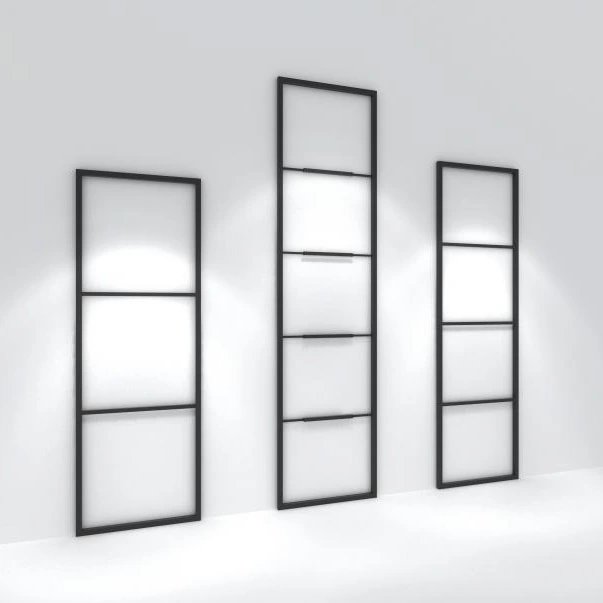
| Wall-Mounted Display | Tiles, mosaics, lightweight sample boards | Clean, gallery feel, great lighting | Confirm wall structure + anchors; plan heights for comfortable viewing |
Many successful showrooms combine two systems: an “impact zone” (often an A-frame or premium sliding display) and a “selection zone” (slot racks with clear labeling). That blend supports both inspiration and decision-making.
A Stone Display Rack lives a hard life: heavy weight, frequent contact, and sometimes humid environments (especially near cutting, fabrication, or entryways). Materials and finishing aren’t cosmetic—they directly affect safety and longevity.
If you’re working with a manufacturer like Quanzhou Zhongbo Display Props Co.,Ltd., ask about customization options that match your showroom reality—slot width for your typical sample thickness, adjustable dividers, and protective liners that can be swapped when worn.
This is where good displays separate from risky ones. A Stone Display Rack should be designed for predictable load paths and stable handling—not “hope and carefulness.”
Operational tip: create a “two-hand rule” for heavier samples and train staff to slide—not lift—whenever the rack design allows. Small habits compound into fewer breakages and fewer accidents.
Even the best rack won’t sell on its own. What it can do is make decisions easier. Customers buy faster when comparisons are effortless and confidence feels natural.
A smart Stone Display Rack layout turns browsing into a guided path: attract → compare → shortlist → confirm. That’s the flow you want.
A rack performs best when it’s installed with the room in mind and maintained like a tool, not furniture.
If you’ve ever wondered why certain pieces “age” faster in the showroom than in storage, it’s usually display friction. Maintenance is your insurance policy.

Use this checklist to avoid costly mismatches. It works whether you’re updating one corner or building a full stone gallery.
If you want your Stone Display Rack to pay back quickly, focus on durability and usability. The prettiest rack is useless if it slows down staff or scares customers from touching anything.
How many samples should a Stone Display Rack hold without feeling crowded?
A good rule is “browseable density.” If customers can pull and re-slot pieces without touching neighboring samples, you’re in the safe zone. If pieces scrape each other, reduce density or increase slot spacing.
Which rack style is best for a small showroom?
Vertical slot racks and rotating displays are often space-efficient. Pair them with one high-impact display (like a compact A-frame or a curated sliding display) so the space still feels premium.
Do I need to anchor a Stone Display Rack to the wall?
If the rack is tall, heavily loaded, or placed where customers frequently pull samples, anchoring can significantly reduce tipping risk. Even when not strictly required, it can be a smart safety measure.
What causes the most common damage in stone displays?
Edge chipping from tight spacing and hard contact points, plus scratches caused by grit trapped between the stone and the rack’s supports. Protective liners and regular cleaning prevent most of it.
Can racks be customized for different thicknesses and formats?
Yes—many manufacturers can adjust slot widths, add removable dividers, change rack height, and upgrade protective strips. Share your sample sizes and weights before ordering to avoid guesswork.
A showroom display is a silent salesperson. When your Stone Display Rack makes stone easier to see, safer to handle, and simpler to compare, customers feel confident—and confident customers buy.
If you’re planning a new showroom layout, expanding your stone category, or replacing racks that keep causing chips and clutter, reach out to Quanzhou Zhongbo Display Props Co.,Ltd. with your sample sizes, target capacity, and floor plan goals. We’ll help you choose a configuration that protects your products and elevates your presentation—so you can sell more with less friction. Ready to upgrade your display? Contact us to discuss your ideal rack setup.
Shanxia Village, Shanxia Town, Hui'An County, Fujian Province, China